On this page
Tor and I2P
The box can have an address on Tor, a name ending in .onion, and one on
I2P, a name ending in .b32.i2p. Anyone with Tor Browser, or a browser set
up for I2P, can open LosOS Login, LosOS Cloud and LosOS Git at that address
from anywhere. The box needs no edge and no domain for it. Nothing opens on
your router either, because Tor and I2P both connect out from the box.
The admin pages never answer at these addresses. They stay on the box's own network, as they do for every other address.
Turning them on
An administrator turns each network on under Settings > Network > Tor and I2P and applies. Both are off by default.
Once the box has rebuilt, Tor makes its address within seconds and I2P within about a minute. Until then the row says Being made…. The addresses then appear on the same page, each with a button that copies it.
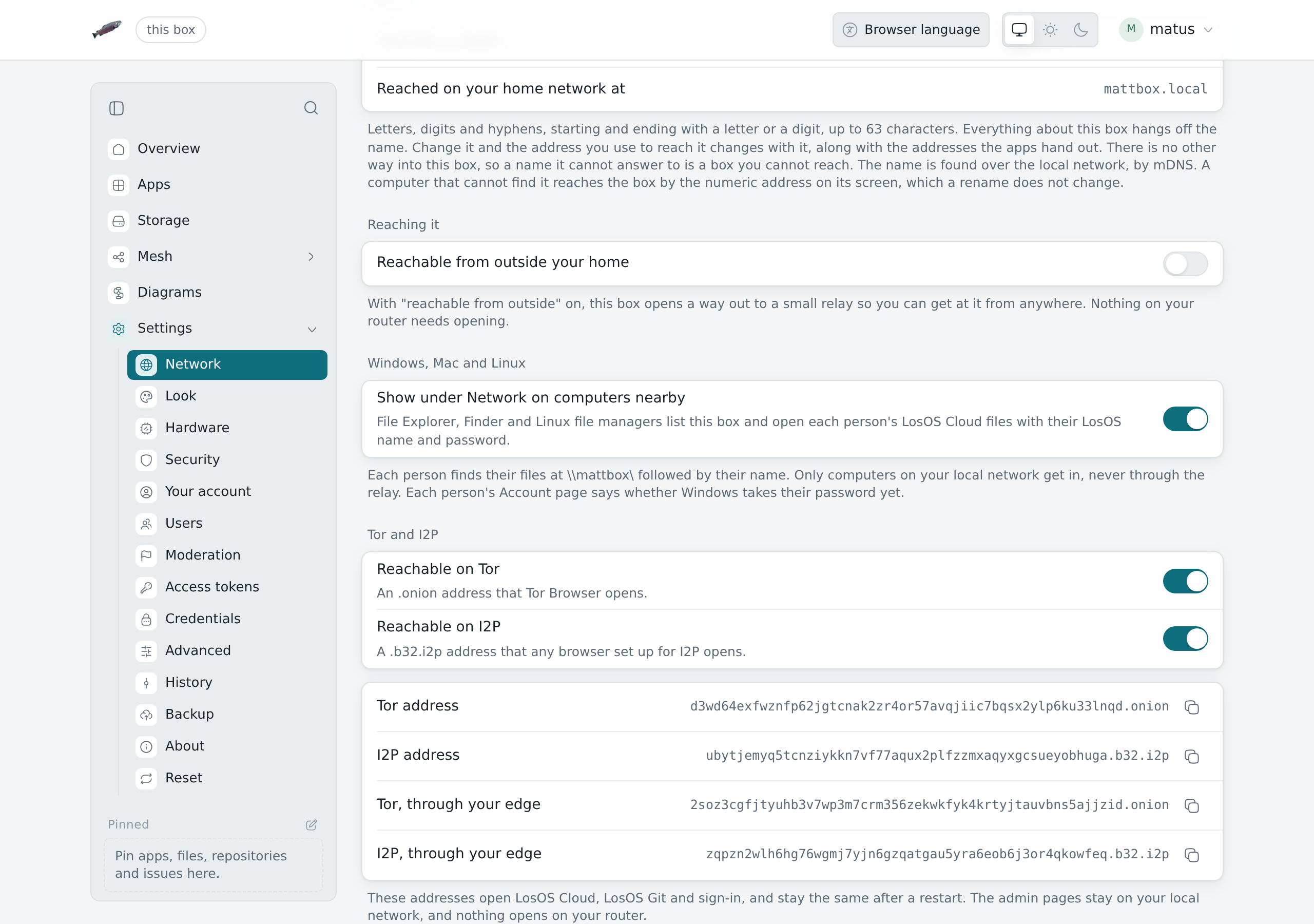
The box keeps its addresses. Turning a network off and on again brings back the same one, and updates and restarts leave them alone.
Opening the box at its address
- Tor. Paste the address into Tor Browser.
- I2P. Run an I2P router on your computer, such as i2pd or the Java I2P router, and set your browser to use its proxy.
Start the address with https://. LosOS Login signs people in only over
https. The box makes the certificate for its addresses and signs it with
its own certificate, so a device that trusted the box during the first-run
setup trusts these addresses too. Other devices show a warning the first
time, as for most onion sites. http:// works too, but you can't sign in
over it.
At these addresses the box answers the pages its public name answers
through an edge: LosOS Login at /auth/, LosOS Cloud at /cloud/ and
LosOS Git at /git/. The admin pages, /api/ and the first-run setup
answer 403, whatever name the browser sends.
Addresses from your edge
An edge can also give each box it serves a Tor and an I2P address. Those addresses are made and kept on the edge, so the box itself runs neither Tor nor I2P for them. They reach the box through its tunnel, the same way its public name does, and the box lists them on Settings > Network as Tor, through your edge and I2P, through your edge. The edge's operator turns this on for the whole edge. It is not a setting on the box.
The edge answers these addresses over https with a certificate it makes for itself, so a browser warns the first time you open one.
The difference is who carries the traffic. The box's own addresses go from Tor or I2P straight to the box. An edge's addresses go through the edge, which sees the requests as it sees those for the box's public name.
What runs on the box
With Tor on, the box runs Tor to publish its onion service. With I2P on, it runs i2pd with one tunnel for its address. Neither offers a proxy to programs on the box, and neither listens on the box's network. i2pd also carries a little traffic for other I2P users, up to 32 KB/s, as every I2P router does.