Without JavaScript
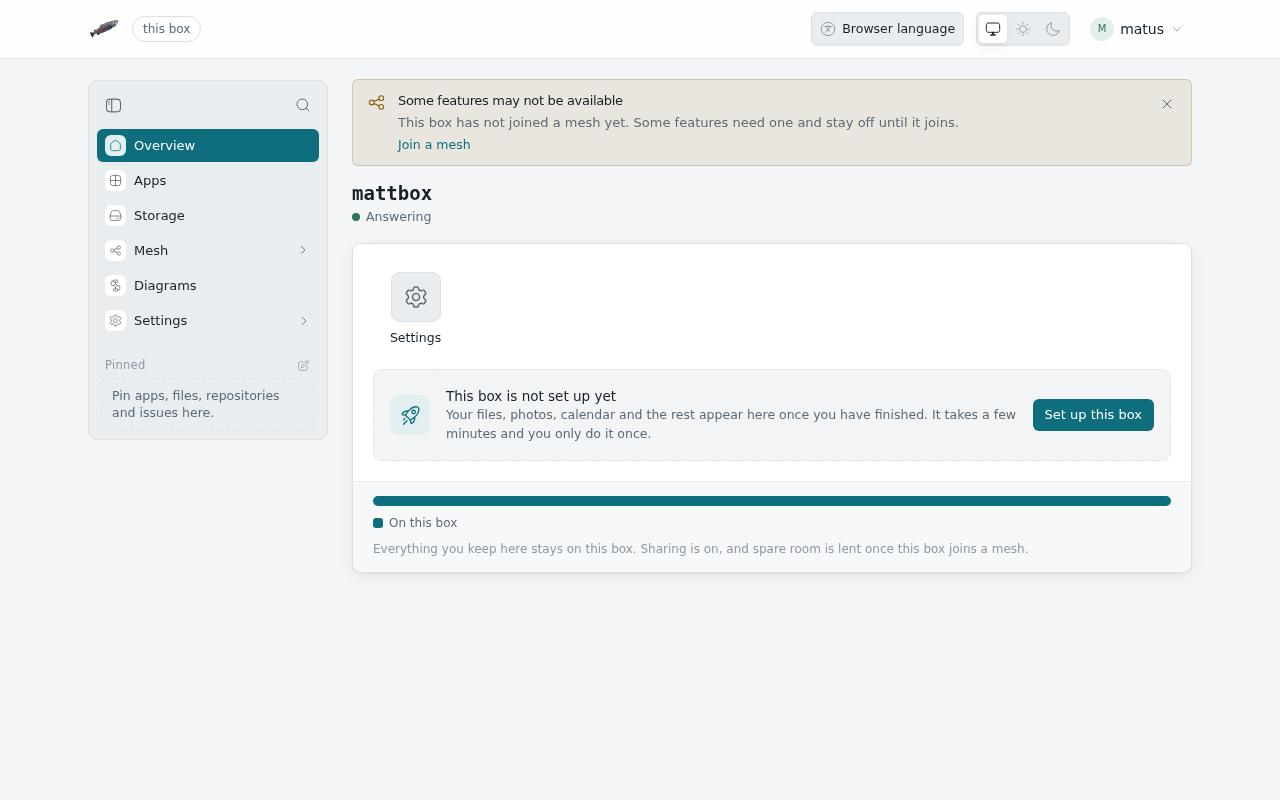
The admin pages work in a browser with JavaScript turned off. Open the box
at its usual address and the box sends the browser to the same page under
/basic/: https://<address>/settings/network becomes
https://<address>/basic/settings/network. The box draws these pages itself
and sends them as finished HTML, with the same sidebar, top bar, colours and
fonts as the usual pages.
This helps when a browser blocks scripts, for example with NoScript or a company policy, or when the usual pages will not load.
Signing in
Sign in with your name and password, as on LosOS Login. If your account asks for a code from an authenticator app, the next page asks for it. A passkey needs JavaScript, so an account that signs in with one cannot sign in here. Use the spare admin key instead. The browser keeps that key until you close it.
These pages are https only, like LosOS Login. The box sends an http://
address on to https://.
What works
- Overview. The box's name, whether it is answering, the tiles and how full the disk is.
- Storage. How much room is used and left, and using the reserve, which asks first.
- Network. The box's name, being reachable from outside your home, and your own domains: add one, see its two records and remove it.
- Hardware and Security. Every switch on those panes.
- Search. Finds a page of the box by its name.
- Look. Your own background, plain or a picture the box ships, and the veil over it. A picture of your own is uploaded with JavaScript on.
- Theme, language and the sidebar. Light, dark or the browser's choice and the language, in your menu at the top right, and the sidebar folded to icons. The browser keeps these.
A change you make shows in the Apply bar at the foot of the pane, which counts the changes. Apply rebuilds the box as it does on the usual pages, and the page reloads itself every few seconds until the rebuild is done, then says whether it worked. Discard puts the pane back.
Pages not here yet, such as Apps, Mesh or LosOS Cloud, say they need JavaScript and change nothing.
What does not work
- The widget board on the overview. Its widgets live in the browser and need a script.
- Anything that updates as you watch, other than the rebuild. Reload the page to see what changed.
Why the page looks the same
The pages without JavaScript use the stylesheet and the words of the usual pages. Menus, folding the sidebar and the dialog that asks before using the reserve open and close in CSS alone. Notices slide in and leave by themselves, also in CSS, and stay put if your system asks for less motion.
This handbook
The handbook reads without JavaScript too, on the box and on the web. On a phone the menu button opens the chapters as a sheet. A chapter in the sidebar opens its own page, and On this page, the language menu and Light, Dark or the browser's choice all work. A theme you pick holds only for the page you picked it on. Search needs JavaScript, so the search box opens a list of every page instead, and your browser's Find searches it.